
58th Floor trend · Anderson .Paak & Cordae · COLORS-style teal studio
58th Floor AI: Make the 58th Floor AI Video From Two Photos
Add a photo of you and a photo of a friend, or your pet. 58th Floor AI puts you both in the teal, COLORS-style studio from Anderson .Paak and Cordae’s “58th Floor” session, one mic hanging between you: one of you finishes the hook, the other takes the verse, lip-synced to the song. You get a 15-second vertical clip for TikTok, Reels or Shorts, made in your browser with no app or CapCut template. The price shows before you render, and a failed render is never charged.
58th Floor AI at a glance
- Photos
- 2 · photo 1 finishes the hook, photo 2 takes the verse
- Who
- You and a friend, partner or sibling, or your dog or cat
- Scene
- Teal studio, one mic hanging between you, four shots
- Video
- About 15 seconds · 9:16 MP4 · 480p or 720p
- Sound
- The original 58th Floor sound (explicit), or Silent
- Price
- $6.99 for one Standard 480p clip · Pro from 25 credits
- Where
- Any phone or desktop browser · no app, no CapCut
58th Floor AI video example
 Photo 1
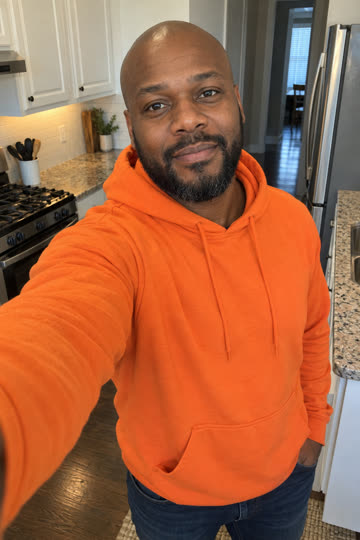 Photo 2
Two photos: left takes the hook, right the verse.
One clear adult or pet per photo, face visible. Separate selfies are fine. JPG, PNG or WebP, 10 MB max, 300 × 300 pixels minimum.
Director’s notes Optional
Outfits, sunglasses or a prop. The studio, shots and lip sync stay fixed. 0/500The original “58th Floor” sound is kept by default; it contains explicit language. Pick Silent to export the clip with no soundtrack.
10 credits · Seedance 2.0 Fast · 15s · vertical MP4 · See pricing
58th Floor AI examples made on this site
Each clip was made here from two AI-generated photos on Standard (Seedance 2.0 Fast) at 480p, with the original sound. Tap a clip for sound.
AI-generated examples of fictional people and pets. Likeness and motion vary from render to render.
What's new on 58th Floor AI
- Two models: Standard on Seedance 2.0 Fast from 10 credits, and Pro on Seedance 2.5, the model Starrd uses. The Single pack is now $6.99.
- New example clips: a dad and daughter, a man and his dog, and a dog and a cat, all made on this site.
- New guides: 58th Floor AI apps compared, the song explained, a copyable prompt, trend ideas, the free question and whether ChatGPT can make it.
What is 58th Floor AI?
58th Floor AI (58thfloorai.video) is an independent web app for the 58th Floor AI trend. Upload two photos, one person or pet each, and it generates a new 15-second vertical video of the two of them in a teal, COLORS-style studio: one microphone hanging between them, the first finishing the hook and the second taking the verse. It is fan-made, not the official COLORS performance, not an edit of that clip, and not a skyscraper or penthouse “58th floor” video.
Looking for the 58th Floor AI filter?
There is no camera filter for this one: the videos you see are rendered by AI from two photos, and that is what this page does. People also call it the 58th Floor trend, the COLORS AI trend, the teal studio rap trend, the hanging mic trend or the Anderson .Paak AI trend. It is not the orange-booth Hotel Lobby trend, and it has nothing to do with a skyscraper.
Where did the 58th Floor trend start?
“58th Floor” is the opening track of Heavy Is the Crown, the joint album Anderson .Paak and Cordae released on 23 October 2026; credits cited from Qobuz list J. Cole as producer. On 30 October COLORS posted the two of them performing it in a seamless teal studio with one microphone hanging between them, Anderson .Paak closing the hook and Cordae taking the verse. Within days, AI sites let people put themselves and a friend in that studio from two photos.
How to make the 58th Floor AI video in three steps
From two photos to a finished vertical clip without leaving the browser.
Add two photos
Photo 1 (left, the hook) and photo 2 (right, the verse): one clear, front-facing picture per person or pet. Everyone pictured must have agreed to it.
Check the price and render
Pick 480p or 720p. The credit cost is on the button before you confirm, and a render that fails gives its credits back. It takes a few minutes.
Download, add the sound, post
Save the 9:16 MP4 with the original sound, or the silent version, and label it as AI-generated where the platform asks.
The 58th Floor AI video, shot by shot
Every clip follows the cuts of the original session, timed to the song.
0–5.5 s · The hook
Waist-up two-shot. Photo 1 raps the end of the hook to camera; photo 2 vibes with mouth closed and turns toward them at about 3.5 s.
5.5–8.7 s · The verse close-up
Photo 2 takes the verse, eyes half closed, the mic at the edge of the frame. Only photo 2 is in shot.
8.7–11.5 s · The wide
Head to toe on the teal stage: photo 2 keeps rapping while photo 1 bounces beside them, mouth closed.
11.5–15 s · The low two-shot
Photo 2, in profile, raps straight at photo 1, who nods along with an impressed face.
How 58th Floor AI makes your video
The same recipe the original 58th Floor template sites use, run on your two photos.
Who to put on the 58th Floor with you
The two-person studio format works for best friends, couples, siblings, coworkers and pets.
Photos that give the best results
Good input matters more than any setting in the generator.
What goes wrong, and how to fix it
Most problems come from the photos, and most are fixed by changing one.
Sound, caption and hashtags
The clip is ready to post as it is. A few things help it travel.
58th Floor AI guides and answers
How to make it, which photo goes where, pets, the song, the prompt, prices and every other 58th Floor AI tool.
How to make the 58th Floor AI video
Four steps, the 15-second shot list and the common mistakes.
58th Floor AI from two photos
Which photo takes the hook, which takes the verse, and why not a group selfie.
58th Floor AI with your pet
Your dog or cat at the mic, with real paws and no human hands.
58th Floor AI without CapCut
Make it in the browser, no app or template, and what free really means.
Starrd 58th Floor alternative
Photos, audio, explicit lyrics and price compared side by side.
Is the 58th Floor AI video real?
The real COLORS performance versus the AI versions, and how to label yours.
58th Floor AI apps compared
Starrd, MakeViral, VideoSi, Flowlio, AI Meme Videos and us, side by side.
The 58th Floor song, explained
Anderson .Paak and Cordae’s opening track, the credits and the COLORS session.
The 58th Floor AI prompt
Copyable Seedance prompts, and why “58th floor” alone gives you a skyscraper.
Can ChatGPT make the 58th Floor video?
What ChatGPT can do for the trend, and what renders the clip.
Is 58th Floor AI free?
What is genuinely free, and the cheapest way to make one clip.
58th Floor trend ideas
Twelve duos, who takes the verse, and a caption for each.
58th Floor AI FAQ
Photos, pets, sound, price, refunds and posting in one place.
58th Floor AI credit packs and subscription plans
58th Floor AI Pricing: Buy Credits Only for Clips You Make
Start with a one-time pack from $6.99, or choose a plan when you post often and want a lower price per clip. A Standard 15-second 480p clip uses 10 credits, so the Single pack covers one video; Standard 720p uses 22, and Pro uses 25 at 480p or 55 at 720p.
One-time credit packs
No subscription needed. Pack credits stay on your balance until you spend them.
Single
10 credits · ≈ 1 clip
≈ $6.99 / clip
A small top-up for one clip
- 58th Floor duo clips from two photos
- Watermark-free vertical 9:16 MP4 files
- Credits returned if a render fails
- Pack credits never expire
- Single charge, nothing renews
Trio Pack
Save 29%30 credits · ≈ 3 clips
≈ $5.00 / clip
Space for a retake or two
- 58th Floor duo clips from two photos
- Watermark-free vertical 9:16 MP4 files
- Credits returned if a render fails
- Pack credits never expire
- Single charge, nothing renews
Duo Pack
Save 35%55 credits · ≈ 5 clips
≈ $4.54 / clip
One clip for you, one for a friend
- 58th Floor duo clips from two photos
- Watermark-free vertical 9:16 MP4 files
- Credits returned if a render fails
- Pack credits never expire
- Single charge, nothing renews
Crew Pack
Save 60%350 credits · ≈ 35 clips
≈ $2.83 / clip
For a fan page or an active feed
- 58th Floor duo clips from two photos
- Watermark-free vertical 9:16 MP4 files
- Credits returned if a render fails
- Pack credits never expire
- Single charge, nothing renews
Studio Pack
Save 68%900 credits · ≈ 90 clips
≈ $2.21 / clip
For creators and social teams
- 58th Floor duo clips from two photos
- Watermark-free vertical 9:16 MP4 files
- Credits returned if a render fails
- Pack credits never expire
- Single charge, nothing renews
Plans for frequent creators
Monthly or yearly credits for accounts that publish clips every week. Bigger plans bring the price per credit down.
Basic
70 credits / month · ≈ 7 clips
≈ $4.27 / clip
Regular credits for occasional posting
- 58th Floor duo clips from two photos
- Watermark-free vertical 9:16 MP4 files
- Credits returned if a render fails
- New credits each billing month
- Switch off renewal under Billing
Pro
Save 42%200 credits / month · ≈ 20 clips
≈ $2.50 / clip
For accounts that publish most days
- 58th Floor duo clips from two photos
- Watermark-free vertical 9:16 MP4 files
- Credits returned if a render fails
- New credits each billing month
- Switch off renewal under Billing
Studio
Save 61%600 credits / month · ≈ 60 clips
≈ $1.67 / clip
The lowest credit price on monthly billing
- 58th Floor duo clips from two photos
- Watermark-free vertical 9:16 MP4 files
- Credits returned if a render fails
- New credits each billing month
- Switch off renewal under Billing
Secure checkout · Packs are a single charge with no expiry · Plans renew until you cancel under Billing
Credits per clip
Each 58th Floor AI clip is a 15-second vertical teal-studio duo made from two photos. Standard renders on Seedance 2.0 Fast; Pro renders on Seedance 2.5 for sharper faces and motion. Your total appears on the button before generation, and failed renders are refunded.
| Template and model | 480p | 720p |
|---|---|---|
| Standard · Seedance 2.0 Fast · 15 s | 10 credits | 22 credits |
| Pro · Seedance 2.5 · 15 s | 25 credits | 55 credits |
58th Floor AI questions
The trend, your two photos, pets, the sound, the price and posting your clip.
Who takes the hook, and who takes the verse?
Add two photos, check the price on the button and make your own 58th Floor AI clip in a few minutes.